Studio operating system

Turn batch intake into planned, captured, approved, delivery-ready work.

Studio is the HyveLabs studio operating system that connects batch upload, planning, shoot-day execution, retouch routing, approvals, and final delivery in one role-aware workflow.

Studio is the workflow surface for content production teams that are done stitching together spreadsheets, planning boards, capture lists, retouch queues, approvals, and delivery folders. One product. One production truth. One chain from first upload to final package.

Import to planSame system
Capture to approvalSame chain
Batch to packageSame truth
Product-led showcase

Use the real Studio workflow language, not random filler cards.

The page has to sell Studio the way ONE sells analytics: one strong thesis, one dominant command surface, and then focused product frames underneath that prove the operating model.

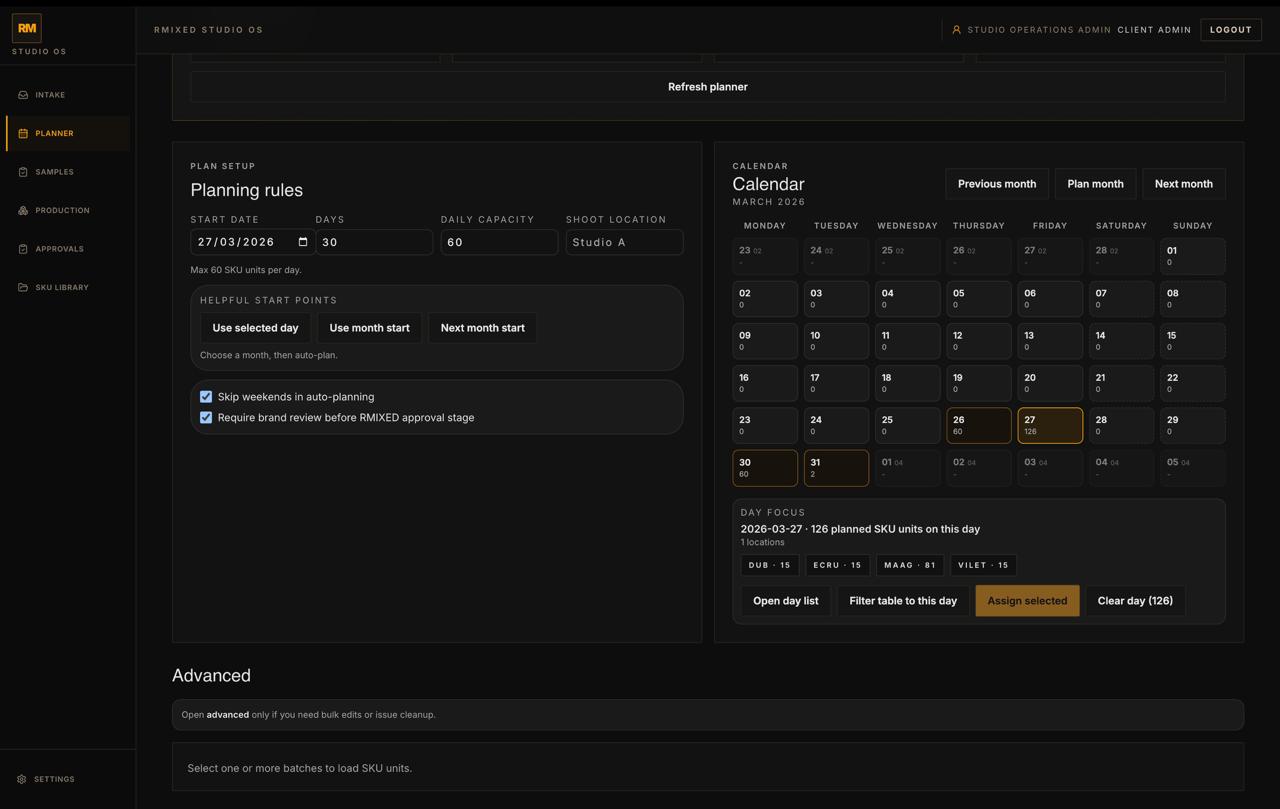
Studio planner dashboard showing planning rules, calendar assignment, and day focus counts.
Planner control

Turn batches into planned days.

Capacity, locations, day focus, and sample rules stay visible in one operations-grade planning surface.

Capacity rulesCalendar visibilityMulti-batch scope
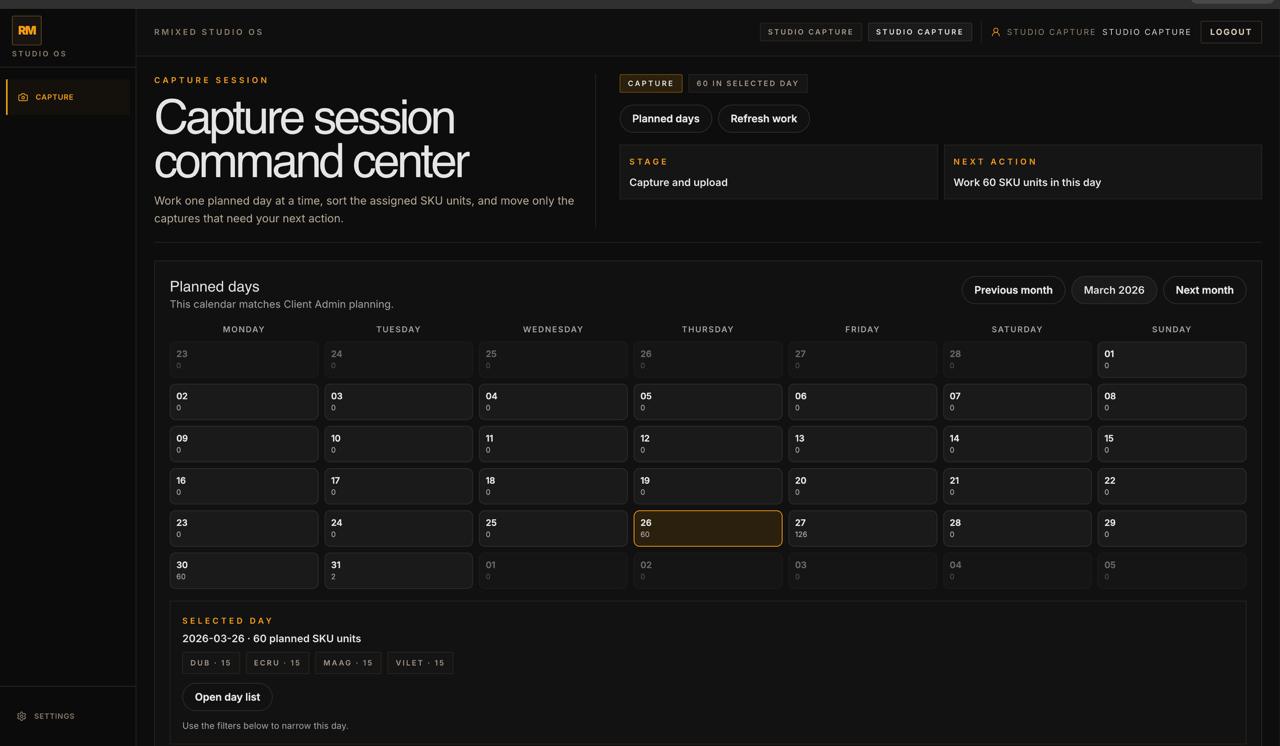
Studio capture session command center with planned day calendar and selected-day scope.
Capture command

Run the day from one command center.

Planned days, selected-day scope, and the next operating move stay synced for photographers and studio operators.

Planned daysSelected-day scopeSession command center
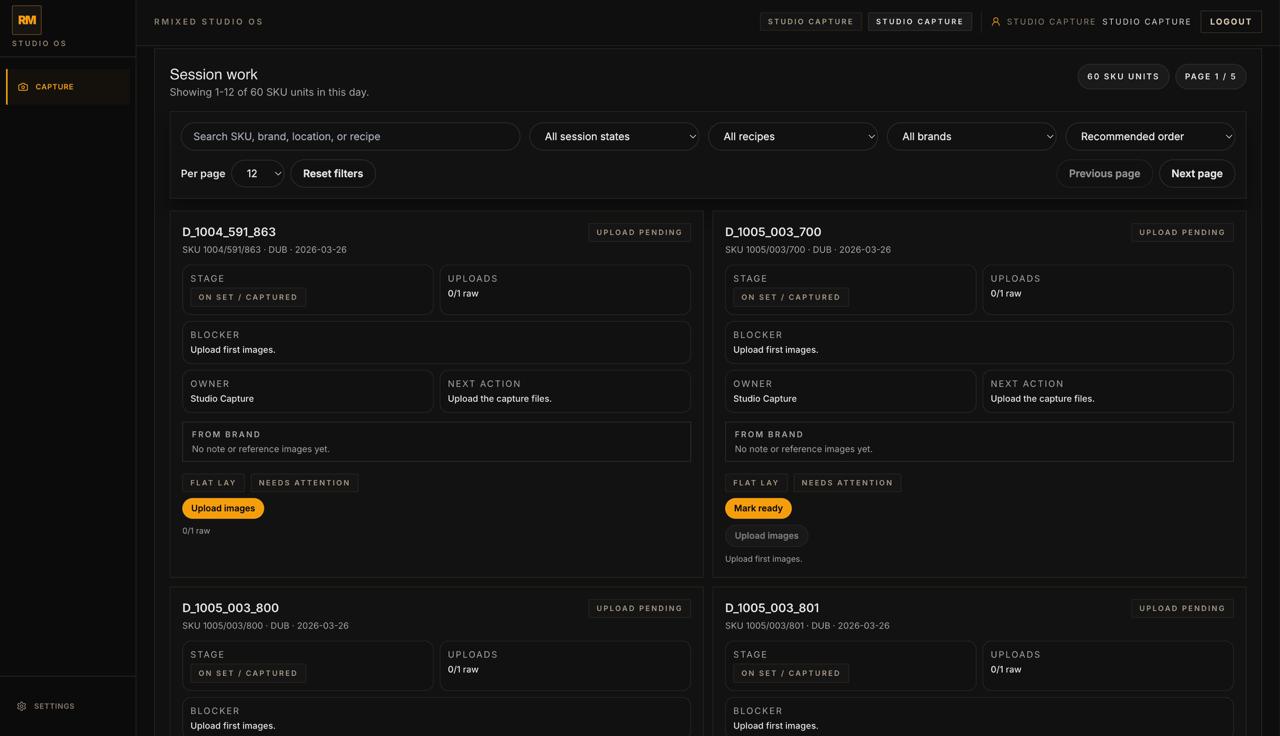
Studio capture work screen showing SKU cards with upload status, blockers, owner, and next action.
Session work

Know what is blocked and what happens next.

Every SKU carries stage, uploads, blocker, owner, and next action inside the same working surface.

Stage visibilityUpload completenessNext action
Workflow chain

One operating system across the whole production chain.

The winning product in this category is not the one with the most status labels. It is the one that keeps batch intake, planning, capture, approvals, and release inside the same system of record.

01

Upload the batch once

Validate + import

Brand-side intake should feel clean, bounded, and client-safe instead of like internal operations repair work.

  • Workbook upload
  • Validation summaries
  • Canonical SKU preservation
02

Turn rows into planned work

Assign + scope

Client Admin owns capacity, sample readiness, locations, and multi-batch day assignment without losing scope integrity.

  • Planning rules
  • Calendar assignment
  • Sample readiness
03

Run capture from the day surface

Shoot + upload

Studio Capture sees planned days, blockers, uploads, and next action in a real command surface instead of a stale task list.

  • Selected-day scope
  • Upload gating
  • Owner + blocker state
04

Move through approval and release

Review + deliver

Creative review, approval discipline, and final package visibility stay connected to the same SKU lifecycle that started at intake.

  • Creative queue
  • Internal sign-off
  • Delivery-ready packages
Operational middle

The hard part is the middle, and that is exactly where Studio has to win.

Studios do not fail because they cannot upload a file. They fail because readiness, blockers, shoot-day state, approvals, and package trust vanish between teams. Studio keeps those moments legible.

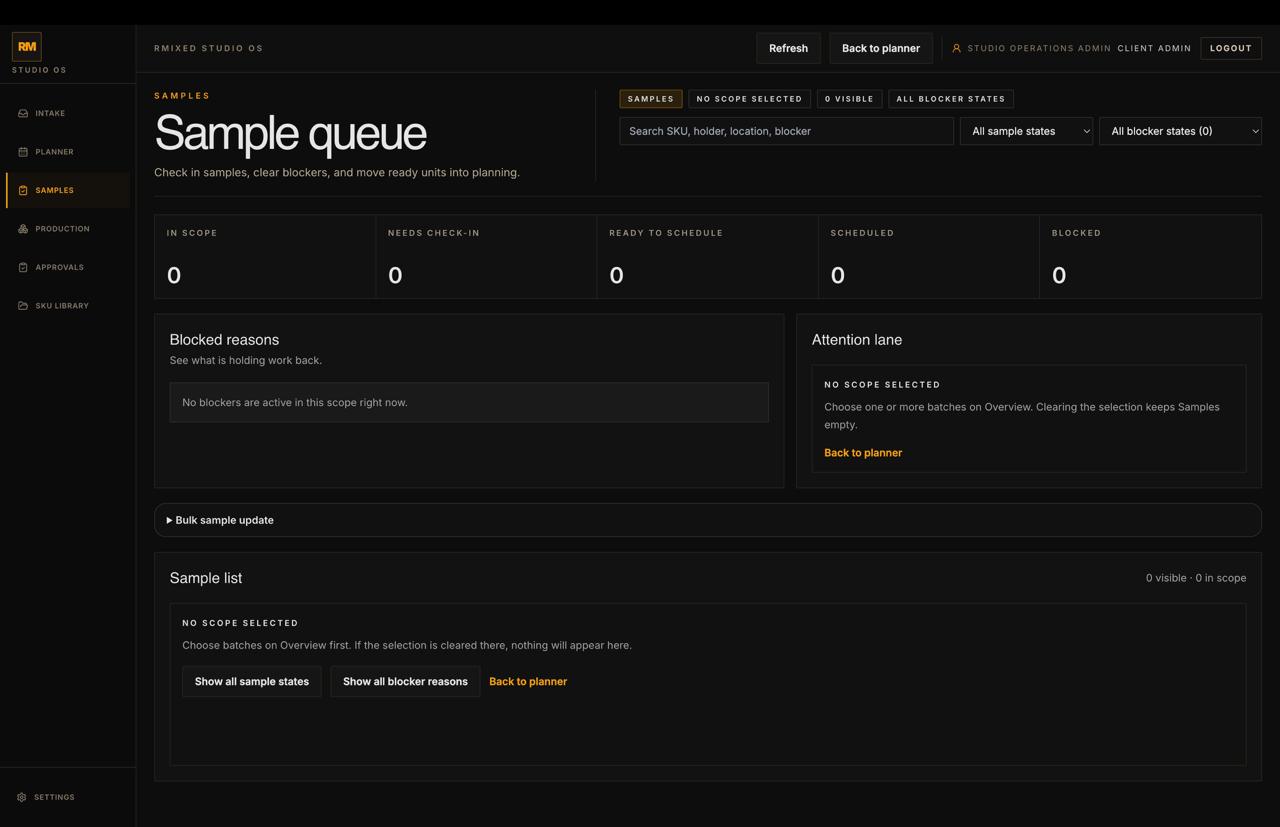
  • sample queue and blocker states stay attached to the work
  • Capture sees the day, the scope, and the next action together
  • approval state belongs in the same workflow truth, not in a side tool
sample readiness upload completeness approval discipline
Canonical SKU truth

The SKU and the file name are related, but not the same thing.

That sounds small until a team loses delivery trust. The final numeric suffix is the image number, not part of the canonical SKU identity.

  • batch stays separate from SKU identity
  • numbered assets stay visible through history and package release
  • synthetic glued IDs do not become the user-facing truth
D_1004_591_800 image 1 image 2
Role-aware surfaces

Every role should see the workflow from the correct angle.

Brand Reviewer, Client Admin, Studio Capture, and Creative Admin should all feel like they are inside one product, but none of them should be forced into the wrong surface.

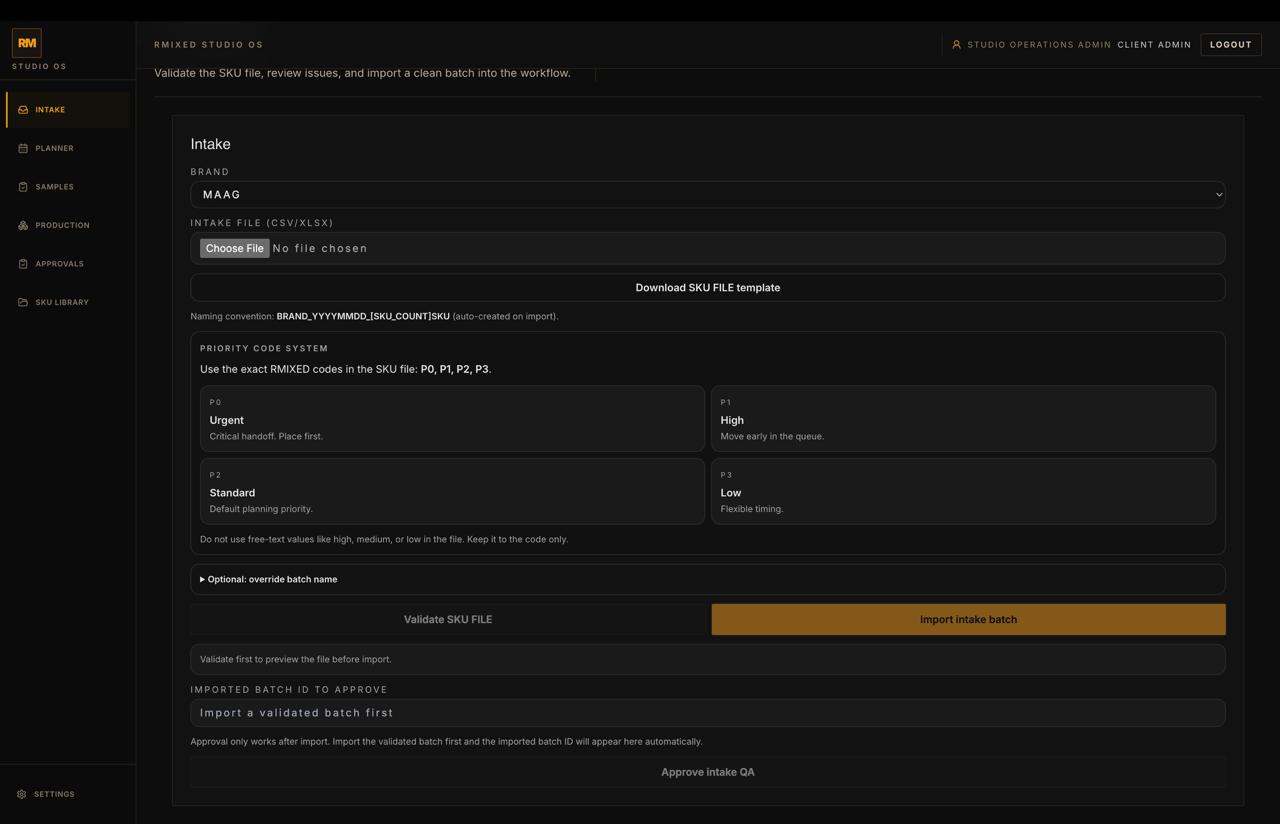
Studio intake workspace with brand selection, upload controls, and intake QA actions.
Brand Reviewer

Upload and track without touching internal cleanup.

Brand-side users should import batches, monitor status, and get final packages without being dropped into a generic admin console.

Studio planner dashboard showing planning rules, calendar assignment, and day focus counts.
Client Admin

Own schedule integrity and the production truth.

Planning, sample readiness, approvals, and the live state of what is blocked or next stay visible from the right operating angle.

Studio capture work screen showing SKU cards with upload status, blockers, owner, and next action.
Studio Capture

Work the day with clarity, not with guesswork.

Operators need planned days, SKU work surfaces, upload completeness, blockers, and next action inside one on-set lane.

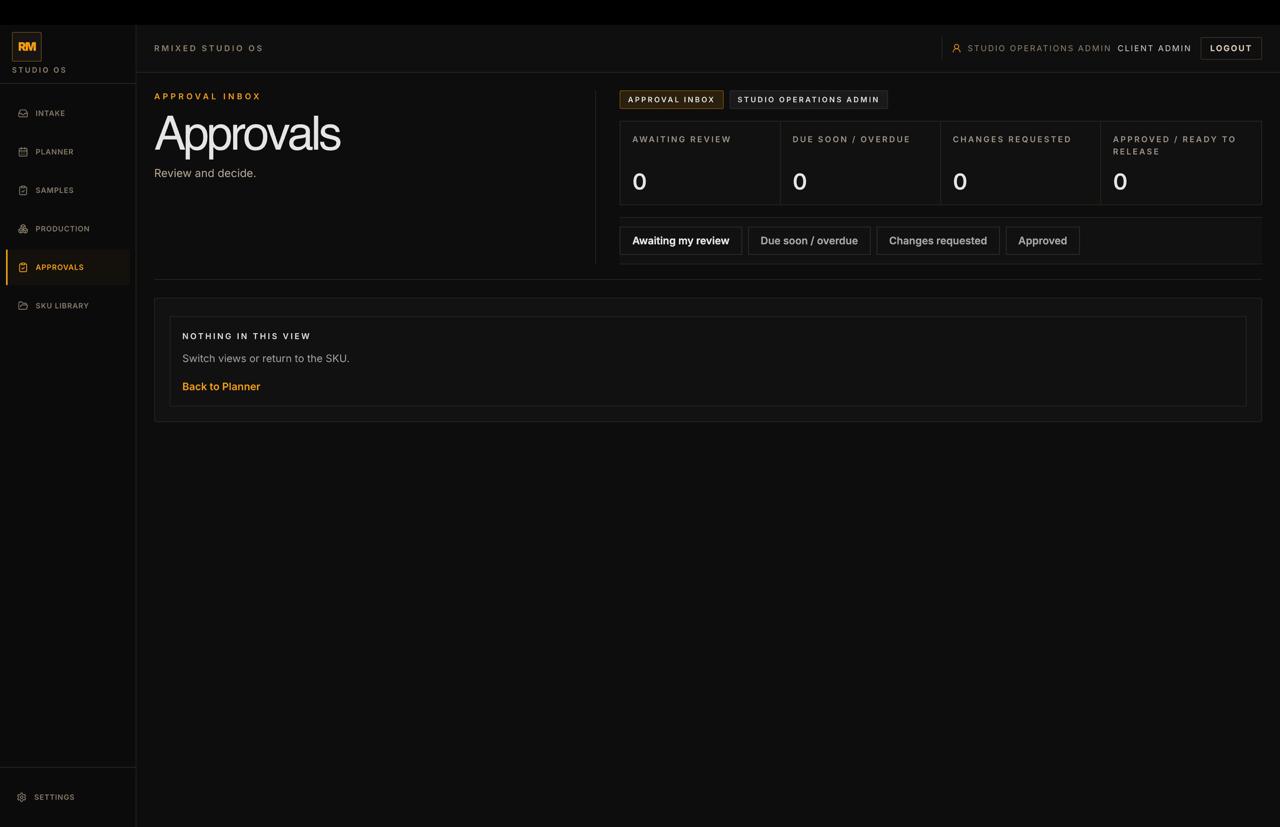
Studio approval inbox showing review states and approval tracking.
Creative Admin

Move work toward release without losing context.

Retouch, review outcomes, approval state, and package readiness should feel governed and attached to production reality.

Connected lanes

Studio stays inside the wider HyveLabs operating stack without becoming a link dump.

These are the delivery lanes and signals that support Studio in the wider site, kept compact so the product page still feels like a product page.

Questions teams ask before they switch

What buyers usually want to know.

Is Studio just another tracker layered over spreadsheets and folders?

No. The product is designed as the operating system for the workflow itself, connecting batch intake, planning, capture, creative review, approvals, and final delivery around SKU truth.

Who is the product designed for first?

It is designed for studios, brand content teams, and enterprise production operations that need one controlled workflow across intake, planning, shoot-day execution, retouch routing, and final handoff.

Why does canonical SKU handling matter so much?

Because operational trust breaks when SKU identity, numbered assets, and delivery history get blurred together. Studio keeps those layers clean so the workflow stays accountable.

What makes Studio different from DAM, review, or project management tools?

Those tools usually solve one layer well. Studio wins by connecting intake, planning, capture, retouch orchestration, approvals, and delivery into one role-aware production model.

Product vision

This is software for running studio operations with trust.

Studio is not another tracker layered over spreadsheets, folders, DAM tools, and side conversations. It is the operating system that turns batch intake into planned work, captured assets, approved outputs, and final delivery in one role-aware workflow.